


A Practical Guide to Developer Brochure Checklist
A strong brochure helps a development stand out, communicate value quickly, and give buyers and investors confidence. Whether you are preparing a brochure for an off-plan launch or refreshing marketing for a completed project, this practical checklist walks through every essential step—from strategy and content to design, production, and distribution—so nothing important is missed.
Set your strategy
Before you write a single line, clarify the purpose of the brochure and what success looks like. This upfront work prevents costly rewrites later and keeps every page focused on outcomes.
- Define the brochure’s primary goal (e.g., generate qualified inquiries, support sales meetings, highlight a new release).
- Identify the primary audience segments (end-users, investors, corporate tenants) and their top questions.
- Decide on the brochure format and length (single-sheet teaser, multi-page booklet, digital flipbook, or downloadable PDF).
- Choose the call-to-action (CTA) that aligns with your goal (book a viewing, register interest, request details).
- Outline distribution channels (website download, email, sales gallery, events, partners) to inform design and file specs.
- Set measurable success indicators (downloads, inquiries, appointments) and a simple method to track them.
Clarify positioning and messaging
Well-defined positioning turns generic facts into a compelling story. Use these prompts to shape messaging that feels relevant and credible.
- Unique value: What makes this development different or better for your audience?
- Buyer outcomes: Translate features into real-life benefits (comfort, convenience, potential utility).
- Tone of voice: Professional, warm, visionary, or minimalist—pick one and keep it consistent.
- Core message hierarchy: Define the top three messages the brochure must land on the first skim.
- Proof over promises: Emphasize verifiable project details and transparent information over hype.
Assemble verifiable project facts
Readers scan for specifics first. Gather confirmed, up-to-date facts and maintain a single source of truth to reduce inconsistencies across pages and versions.
- Project name and developer entity.
- Project type and offering: apartments, villas, townhouses, mixed-use, retail components, or commercial spaces.
- Development stage: planning, off-plan sales, under construction, or completed.
- Estimated timelines where appropriate (e.g., planned launch windows or completion milestones) if confirmed and permitted.
- Unit mix overview: studios, 1–4 bedroom layouts, penthouses, townhouses, or custom configurations as applicable.
- Headline specifications: build quality notes, finishes, sustainability intentions, smart features—only if verified.
- Amenities summary: wellness facilities, green spaces, children’s areas, retail promenades, concierge elements, or parking access.
- Basic location description and connectivity highlights readers can independently verify (major roads, nearby anchors), kept factual and concise.
- Contact and inquiry methods aligned with your CTA.
Plan your visual asset kit
Visuals make or break a brochure’s clarity and appeal. Choose assets that accurately represent the project and guide the eye through key information.
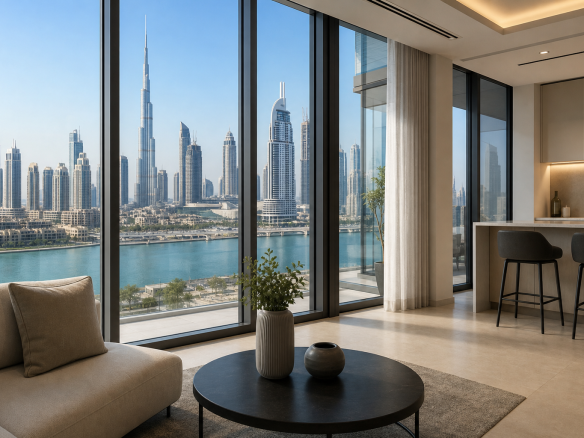
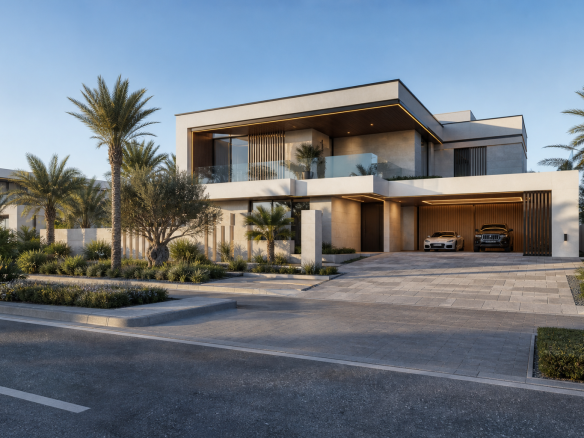
- Hero imagery: a single, high-impact visual that frames the development’s essence.
- Renders and lifestyle shots: ensure version control and labeling (draft, approved) to avoid misplacement.
- Floor plans: clean, legible, consistent scale indicators, and clear labels for dimensions and key rooms.
- Master plan: highlight building placement, entries/exits, amenities, and circulation.
- Maps and diagrams: simple, uncluttered, and accurate; avoid implying unconfirmed infrastructure.
- Icon set: consistent style for amenities, transport, and services.
- Brand elements: approved logo files, color values, typography, and spacing rules.
- Alt text and captions (for digital brochures): brief, descriptive text to improve accessibility.
Structure the brochure
A logical flow helps readers get the highlights fast, then dive deeper. The outline below balances storytelling with decision-critical facts.
- Cover: project name, compelling hero visual, crisp subhead, and a visible CTA or QR code for digital access.
- Executive summary: a one-page snapshot of value, offering, and key differentiators.
- Vision and concept: a short narrative linking the development concept to audience needs.
- Location and connectivity: a factual overview with a simple map or diagram.
- Amenities and lifestyle: concise, grouped lists supported by relevant imagery.
- Residences and specifications: unit mix, typical layouts, finishes overview, and practical details.
- Plans and diagrams: floor plans, master plan, parking, and circulation highlights.
- Purchase journey and next steps: how to inquire, register interest, or schedule a conversation.
- Contact and QR: consolidated contact details and a clear follow-up pathway.
- Disclosure page: disclaimers, version date, and any necessary notices.
Write precise, concise copy
Brochure copy is skimmed first, read second. Prioritize clarity, brevity, and verifiable statements.
- Lead with outcomes: what the project enables for residents or occupants.
- Use specific nouns and verbs; avoid vague superlatives.
- Chunk information with short paragraphs, bullets, and subheads.
- Pair every claim with a corresponding fact, figure, or visual where available.
- Keep CTAs action-oriented and consistent throughout.
Design and layout basics
Good design directs attention to what matters most. Aim for clean hierarchy and generous whitespace while maintaining brand consistency.
- Grid system: choose a column grid and stick to it for alignment.
- Typographic scale: define headline, subhead, body, and caption styles with consistent spacing.
- Color discipline: use brand colors purposefully; ensure sufficient contrast for readability.
- Image quality: high-resolution assets, consistent grading, and thoughtful cropping.
- Data visuals: simple charts or icons when they clarify complex details.
- Accessibility: legible type sizes, clear contrast, alt text for digital, and logical reading order.
Production specs and file prep
Avoid delays and reprints by preparing files to spec from the start. Capture these decisions in a one-page production brief.
- Print specs: bleed, safe margins, CMYK profiles, paper stock, finishes (if any), and binding method.
- Digital specs: PDF size target, image compression strategy, clickable links, and accessibility tags.
- File naming and version control: include date and version; maintain a changelog.
- Packaging: collect fonts and linked images; export print-ready PDFs and web-optimized versions.
Compliance and disclaimers
Brochures should communicate clearly while respecting applicable requirements. When in doubt, keep statements factual, avoid guarantees, and include appropriate notices.
- Use plain, verifiable language and avoid promises of outcomes.
- Label images accurately (e.g., “illustrative render,” “typical layout”).
- Include a version date and a note that details are subject to change where appropriate.
- If your brochure touches on legal, financial, or regulatory topics, consult a qualified professional for review. This article is for general information only and is not legal, financial, or other professional advice.
QA and proofing checklist
Quality assurance is where most brochure issues are caught—if you test systematically. Use this pre-release checklist.
- Cross-check all facts against your source-of-truth document.
- Verify project names, developer entity spelling, and contact details on every page.
- Proof for grammar, clarity, and consistency of terminology.
- Test all links and QR codes on multiple devices.
- Confirm floor plan dimensions, legends, and orientation markers.
- Review image rights and approvals; remove any placeholders.
- Check color and contrast for readability; test a printed proof where relevant.
- Ensure disclosures and disclaimers are present and legible.
Distribution and tracking
Plan distribution early so the brochure is packaged for each channel and performance can be measured from day one.
- Website: host a compressed, branded PDF with a clear download CTA.
- Email: use concise messaging and track link clicks; consider segment-specific covers.
- Sales gallery and events: stock printed copies and provide scannable QR codes to digital versions.
- Partners: share a co-branded or neutral version if needed.
- Tracking: use simple UTM parameters or QR codes to attribute inquiries to the brochure.
- Feedback loop: create an internal form for sales teams to submit suggestions and note common reader questions.
Post-launch optimization
Brochures work best when they evolve with feedback and project milestones. Schedule periodic updates to keep content accurate and helpful.
- Quarterly or milestone-based refresh: update timeline notes, imagery, or plan availability as applicable.
- Refine headlines and CTAs based on inquiry quality and sales conversations.
- Consider modular pages that can be swapped without a full redesign.
- Archive previous versions with clear dates to avoid confusion.
Quick-reference master checklist
Use this condensed list to confirm you have the essentials covered before you export the final files.
- Strategy: audience, goals, format, distribution, metrics.
- Positioning: unique value, message hierarchy, tone, proof points.
- Project facts: offering, stage, timelines (if confirmed), unit mix, amenities, location notes.
- Visuals: approved hero, renders, floor plans, master plan, map, icons, brand assets.
- Structure: cover, summary, concept, location, amenities, residences, plans, next steps, contact, disclosures.
- Copy: concise, specific, verifiable; consistent CTAs.
- Design: grid, typography, color, image quality, accessibility.
- Production: print and digital specs, packaging, version control.
- Compliance: accurate labels, disclaimers, version date; professional review where needed.
- QA: fact check, proofread, test links/QRs, verify dimensions, confirm image rights.
- Distribution: website, email, gallery, events, partners, tracking and feedback loop.
- Optimization: scheduled updates, modular pages, archive management.
FAQ
How long should a developer brochure be?
Length depends on purpose and audience. A concise 6–12 page brochure typically balances storytelling with decision-critical facts. For a teaser campaign, a 2–4 page overview can work. For complex, mixed-use projects, a modular brochure with add-on pages keeps the core document focused while providing depth where needed.
What are the non-negotiable elements to include?
At minimum: a clear value summary, verifiable project facts, unit mix overview, amenities, concise location notes, clean floor plans, a simple master plan, high-quality visuals, an obvious next step, and appropriate disclaimers with a visible version date.
Do I need both print and digital versions?
Most teams benefit from both. Digital PDFs are easy to distribute and track, while printed copies support in-person discussions and events. If you prioritize one, start with a web-optimized PDF and add print later using the same layout grid to reduce rework.
How often should I update the brochure?
Update at key milestones (e.g., new phase releases or major construction progress) and on a fixed review cadence. Even small changes—like refreshed renders or clearer CTAs—can meaningfully improve engagement.
What’s the best way to keep facts consistent across pages?
Maintain a single, dated source-of-truth document listing approved facts, numbers, labels, and image versions. Require all contributors to reference it and log changes. This avoids discrepancies between the summary, captions, and callouts.


Join The Discussion